

NEW YORK–The end of the pandemic may be appearing way out on the horizon, but it’s unlikely to mean an end to presentations, meetings and more on Zoom, according to one person—so it’s important to learn from the (virtual) mistakes being made.
“So, while you may be exhausted from talking at your computer screen for half the day, you still need to make sure you're good at it,” observed a report on Inc.com. “The ability to convincingly and entertainingly present over video is an essential career skill for the future.”
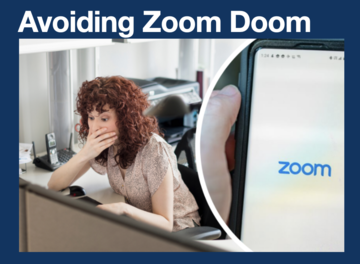
Ideas for better Zoom presentations were shared by Briar Goldberg, director of speaker coaching with TED Talks. That includes avoiding making the following mistakes, according to Goldberg:
Looking at the Audience, Not the Camera
“Looking at those you're speaking to is, of course, completely natural. It's also a disaster when you're trying to be engaging over video because, thanks to the positioning of the camera, you end up staring at some random point off to the side of your audience,” noted Inc.com
The good news? The fix is simple.
"The only way to make eye contact with your virtual audience is to look directly at the lens of your camera. Trust me: This will feel really strange at first, but if you want your audience to remain engaged and attentive, you'll need to sacrifice your own desire to look at their faces,” said Goldberg.
The advice: Aim to stare at that little light on the top of your laptop (or whatever fancier option you're using) for a full 90% of your presenting time.
Either Reading It or Winging It
When it comes to presentations and preparation, the objective is to aim for a Goldilocks point:
“You don't want to write everything down and read it like a robot, but you also don't want to stumble, 'um,' and 'ah' your way through your material,” stated Inc.com.
Added Goldberg, “Honor your audience's time by practicing a little in advance. Just because you could turn your laptop or your phone into a teleprompter doesn't mean you should.”
Letting Everyone Turn Off Their Video
Can looking at endless boxes of disembodied heads be distracting and stress-inducing? Why yes it can, observed Inc.com.
But Goldberg said if you let your entire audience switch off their video you'll also have no idea how your presentation is going down.
"As a virtual communicator, it's often impossible to know if your audience is paying attention when you can't see them,” said Goldberg. “So, in Zoom land, it's 100% OK for you to ask your audience to turn on their cameras. And if you want to be very polite, send a note asking for on-camera attendance in advance. That way, your audience can plan.”